Infloww
How to easily monitor employee performance with Infloww
Have a messaging team working across multiple OnlyFans accounts? How Infloww’s employee analytics show performance per account.
Grace
If you run a creator business, you know the challenges of tracking your team's performance.
Between monitoring sales, analyzing message quality, and identifying top performers, there's a lot to measure.
What if you could see your entire team's performance at a glance?
Enter Infloww‘s Employee Reports. Infloww CRM is built for creator businesses on OnlyFans, Fansly, mym, and Fanvue.
Here's how our comprehensive OnlyFans employee analytics suite helps you make data-driven decisions and grow your creator business.
1. Track sales performance with precision
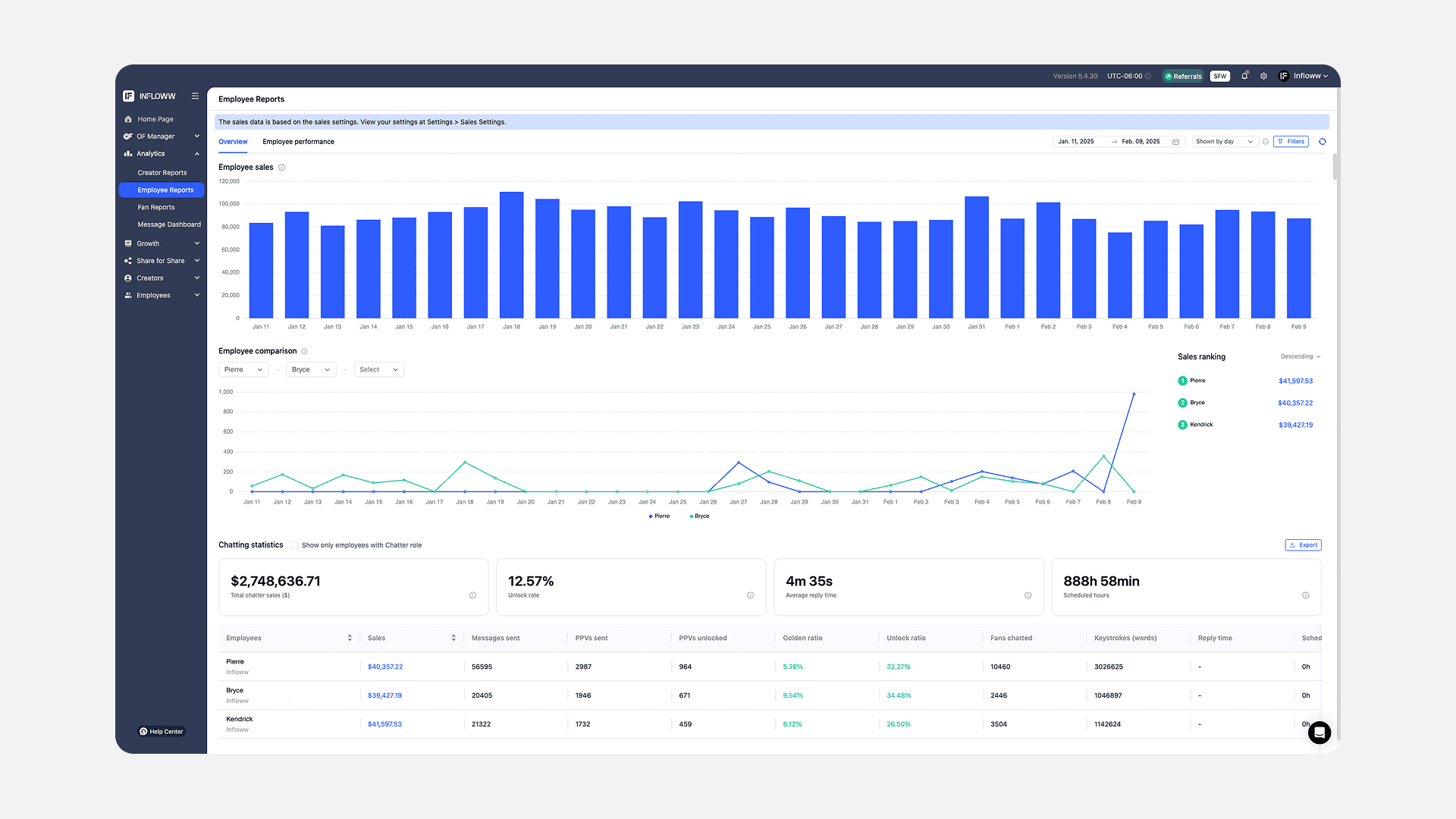
Stop guessing who your top performers are.
Infloww's Employee Reports give you instant access to total sales, conversion rates, and revenue breakdowns for every team member. Track everything from PPV sales to tips and subscriptions—all in one dashboard.
2. Measure engagement quality
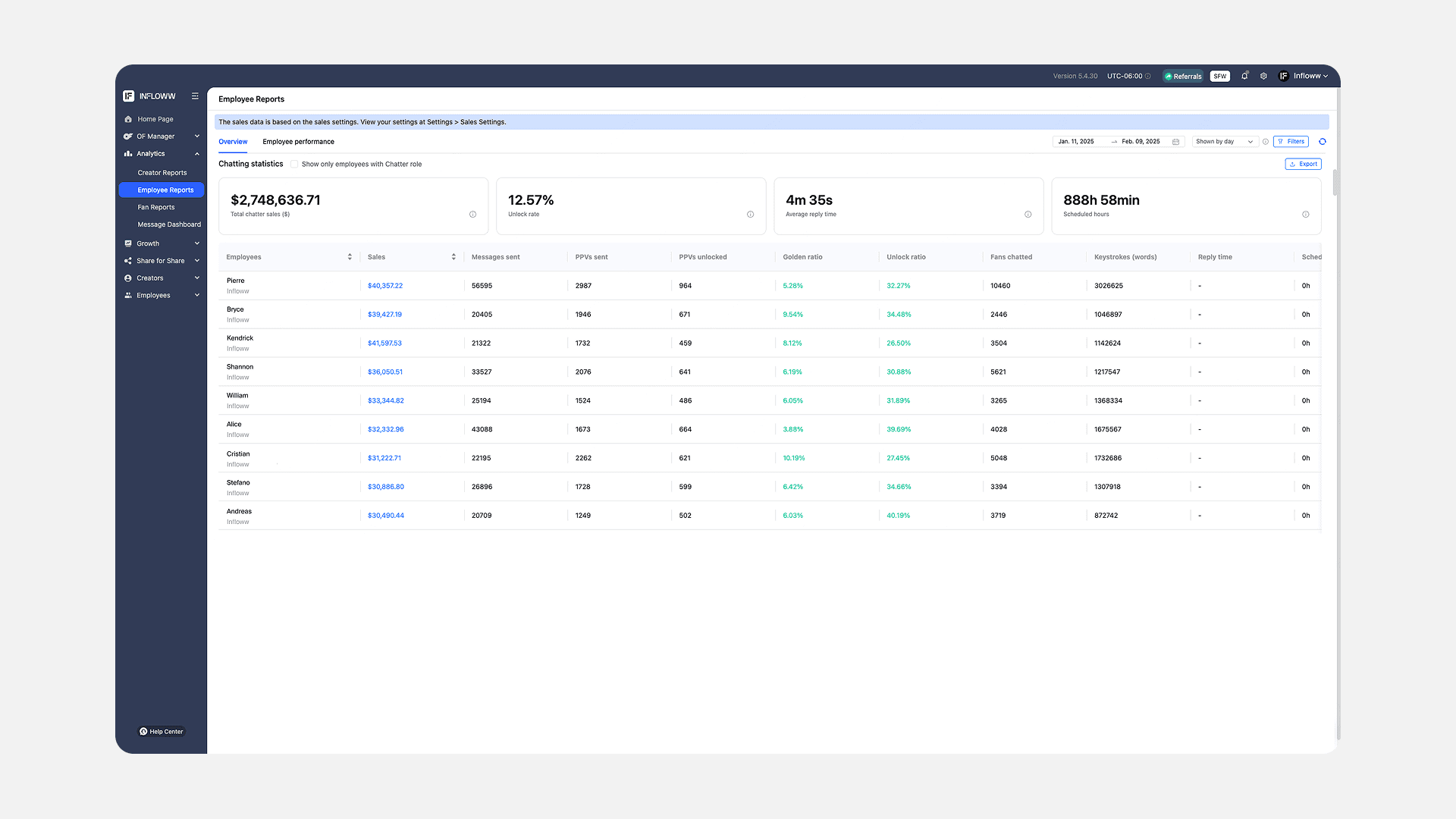
Monitor the metrics that matter most for subscriber engagement:
Message volume and response times
PPV send and unlock ratios
Keystrokes per message
Number of subscribers messaged
Our detailed statistics table breaks down these key performance indicators for each employee, helping you identify who needs coaching and whose strategies should be shared with the team.
3. Optimize your Golden Ratio
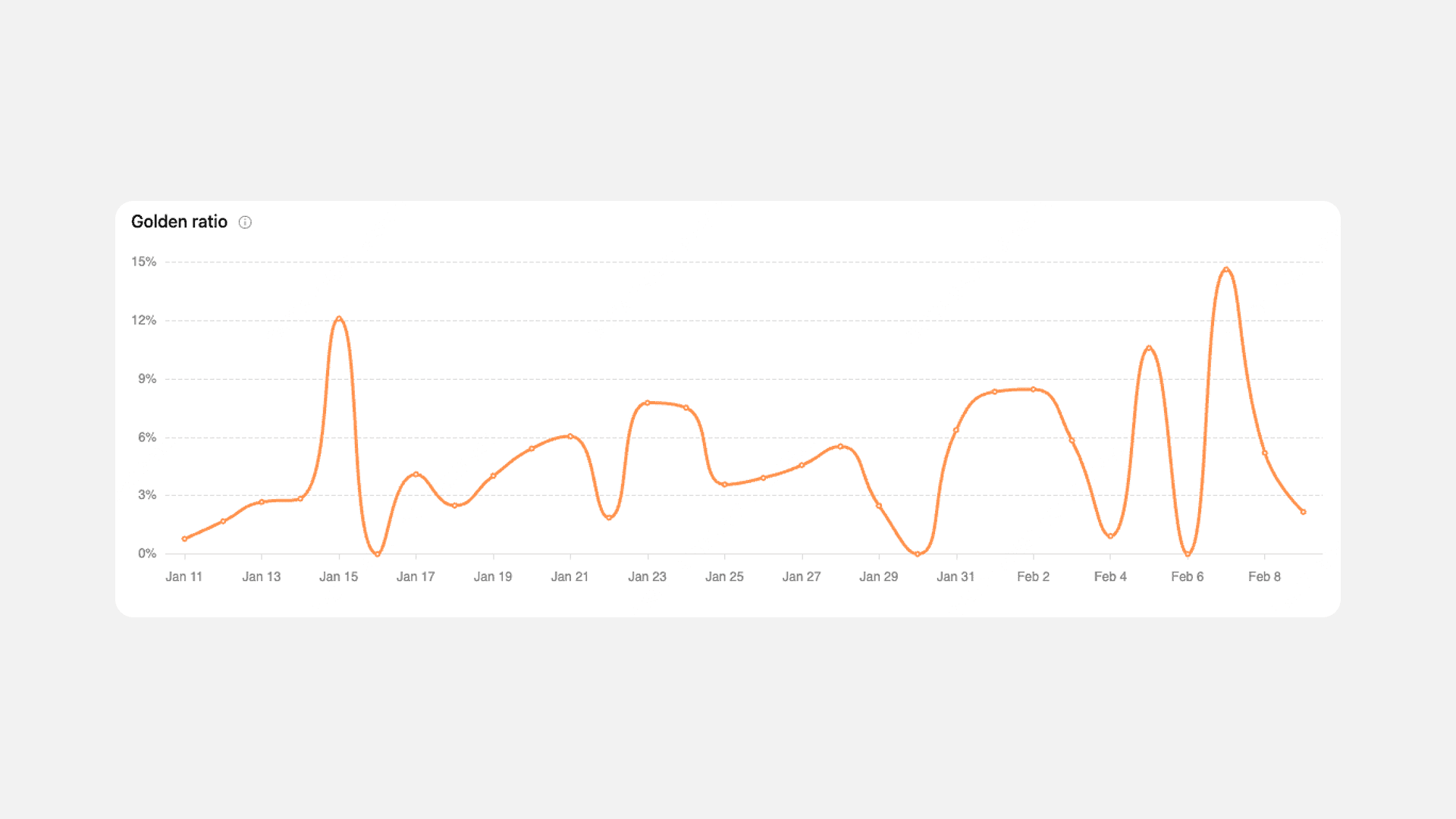
The perfect balance between engagement and sales is key to success. Our Golden Ratio metric (PPVs sent / total messages sent) helps you track this balance.
The Golden Ratio can tell you if a subscriber is being sent too many PPVs (damaging to the relationship) or they aren’t being sent enough (lost sales opportunities).
A ratio between 5 to 10% typically indicates good performance. It’s enough PPV content to drive sales without overwhelming subscribers.
4. Monitor real-time performance
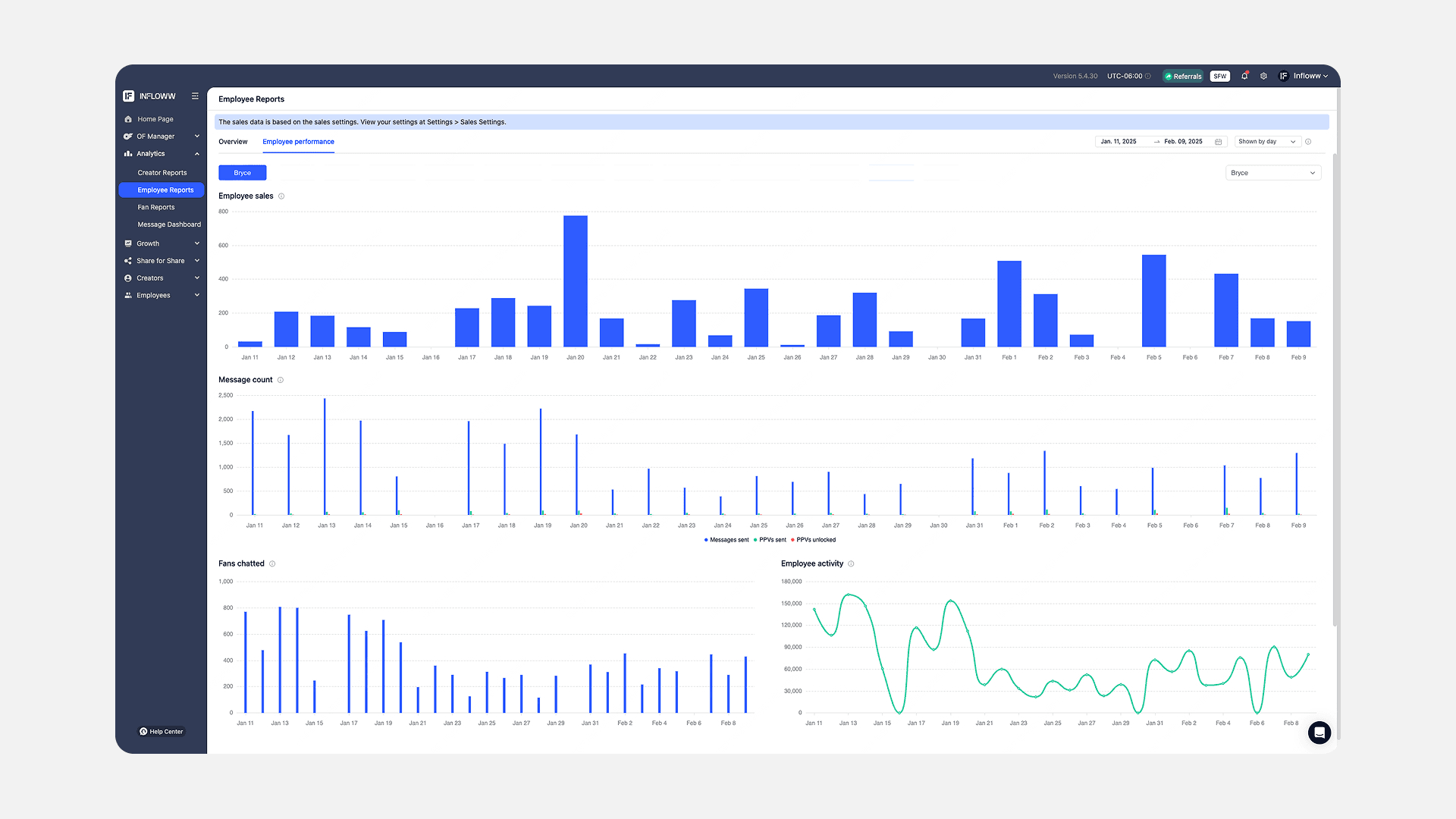
Watch your team's performance unfold in real-time with detailed employee tracking.
Monitor daily, weekly, and monthly trends in:
Sales performance
Message volume
Response times
Subscriber engagement
Spot trends and address issues before they impact your bottom line.
5. Fine-tune revenue attribution
Know exactly who's driving results.
Customize how you attribute sales and commissions with flexible calculation rules for:
Message-based sales
Post unlocks
Tips and subscriptions
Stream revenue
Next steps
Ready to upgrade your team performance tracking? Here's how to get started with Infloww's Employee Reports:
Set up your Sales Settings preferences
Configure employee shift schedules
Define your revenue attribution rules
Start tracking performance metrics