Infloww
How Infloww's creator reports help you track revenue performance
Running several OnlyFans accounts? Here’s how Infloww’s analytics tools help you boost earnings and optimize performance across every account.
Grace
If you run a creator business, you know the challenges of tracking performance across multiple accounts. Between monitoring earnings, analyzing engagement, and identifying growth opportunities, there's a lot to keep tabs on.
What if you could see everything you need in one place?
Enter Infloww‘s Creator Reports. Infloww CRM is built for creator businesses on OnlyFans, Fansly, mym, and Fanvue.
Here's how our comprehensive analytics suite helps you make data-driven decisions and grow your creator business.
1. Get the complete earnings picture
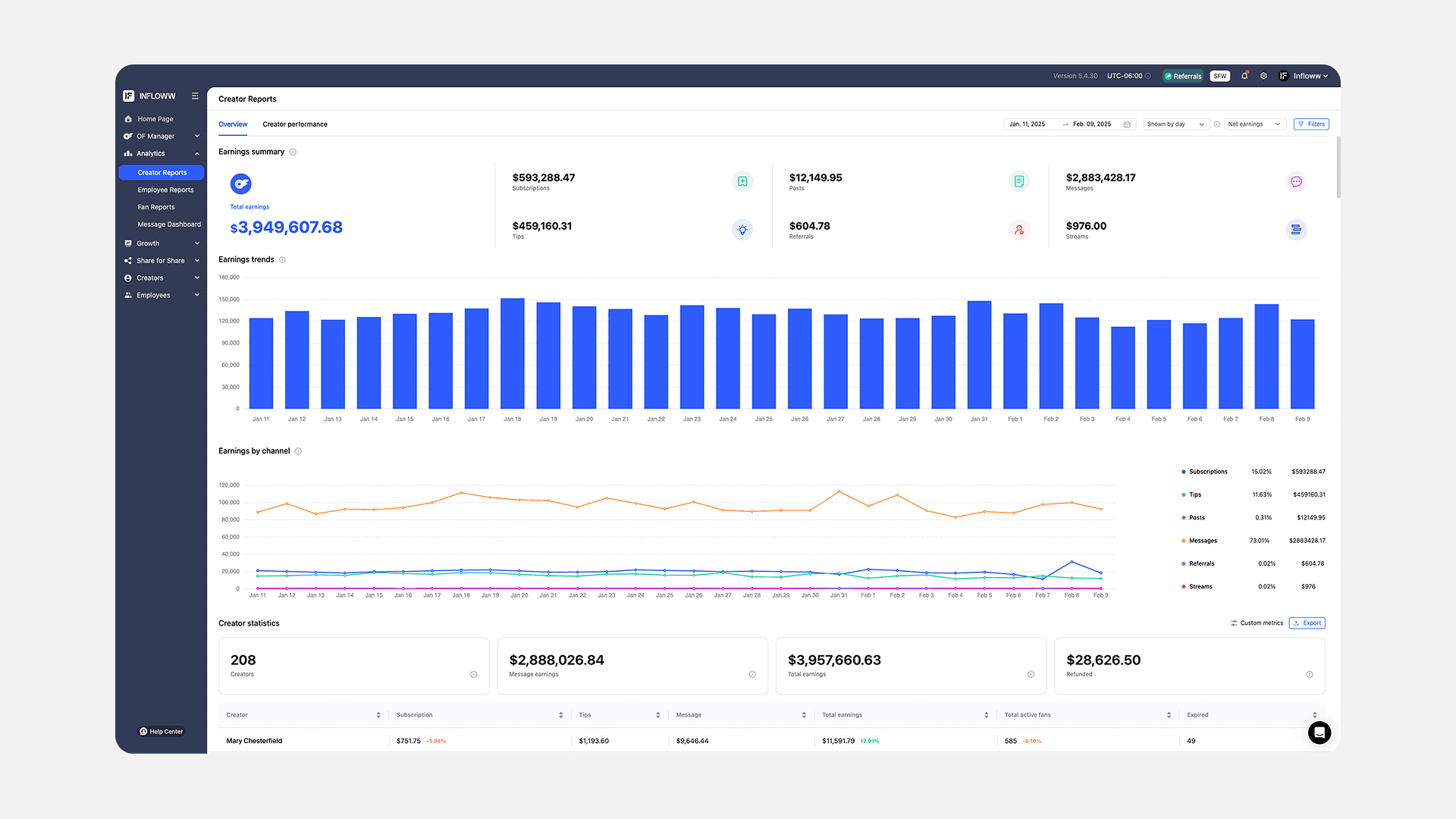
Stop jumping between multiple spreadsheets and platforms.
Infloww’s Creator Reports give you instant access to total earnings, trends, and channel-specific performance across all your accounts.
Track everything from subscriptions and tips to messages and streams—all in one dashboard.
2. Identify your top performers
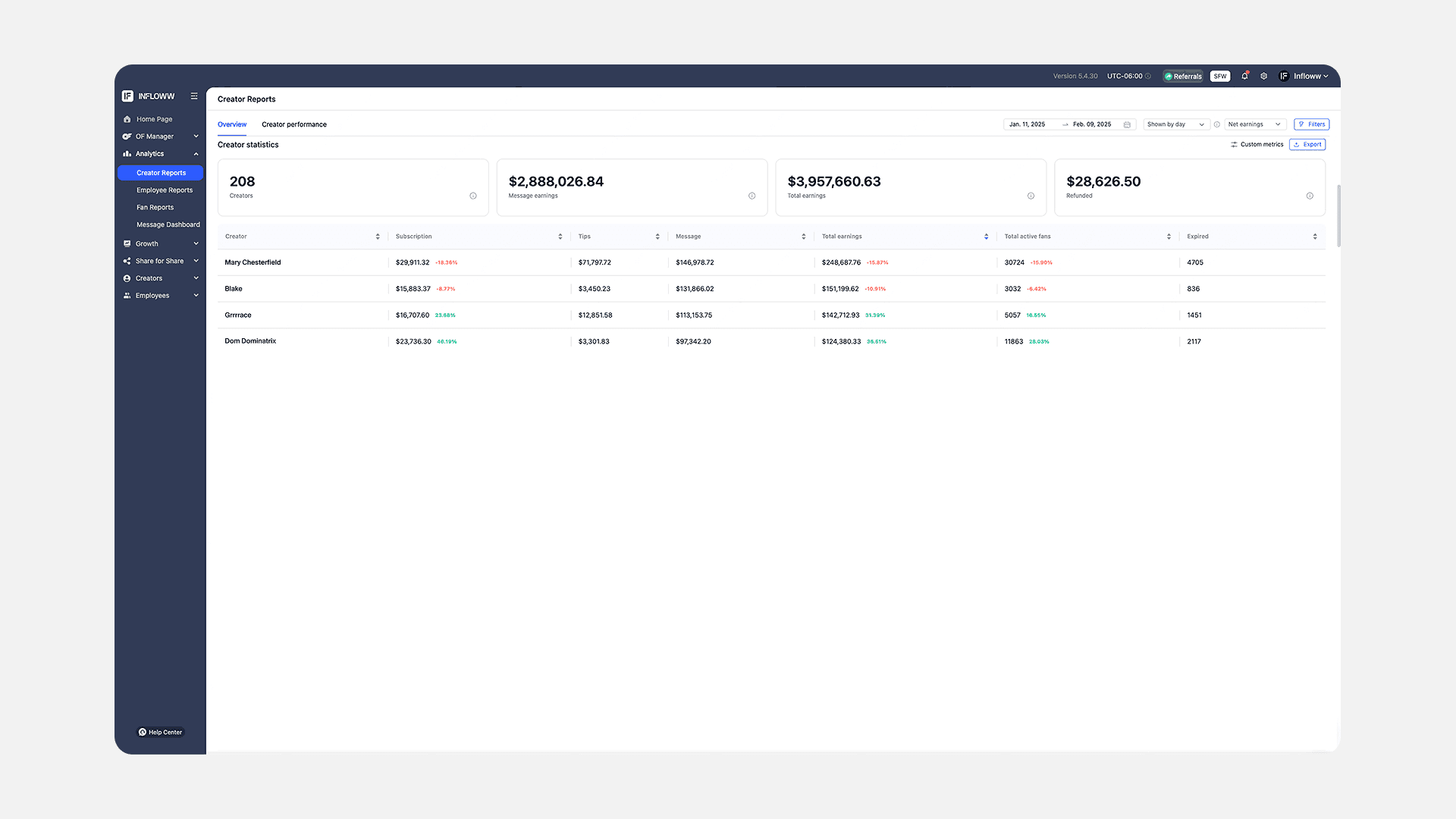
Know exactly how each creator contributes to your bottom line. Our detailed statistics table breaks down earnings by revenue stream and tracks subscriber growth, helping you spot which creators need support and which strategies to replicate.
3. Optimize peak earning times
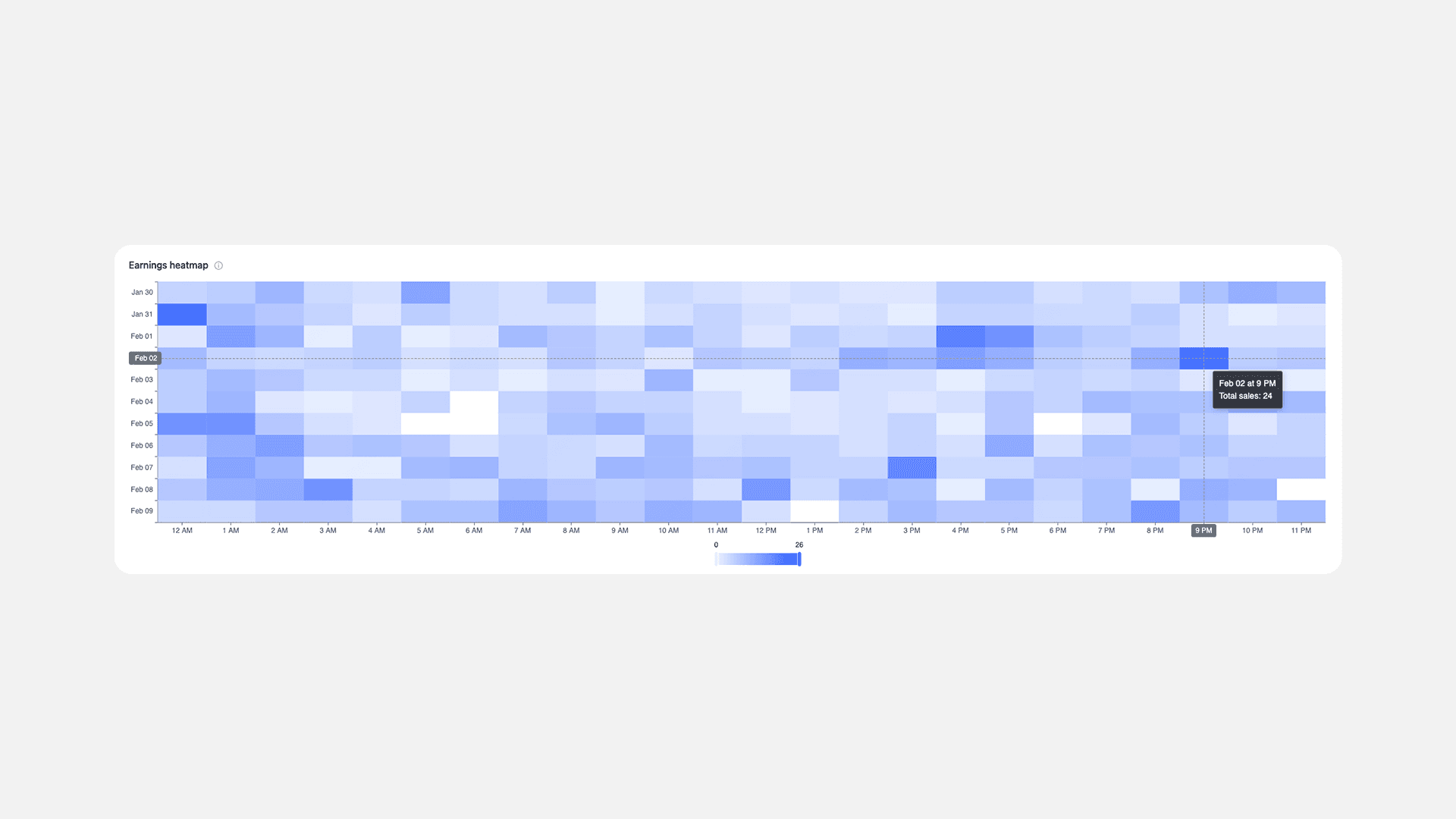
Our earnings heatmap reveals exactly when content on each account performs best.
See which days and times drive the most PPV purchases, helping you schedule content when spenders are most likely to buy.
4. Track growth trends
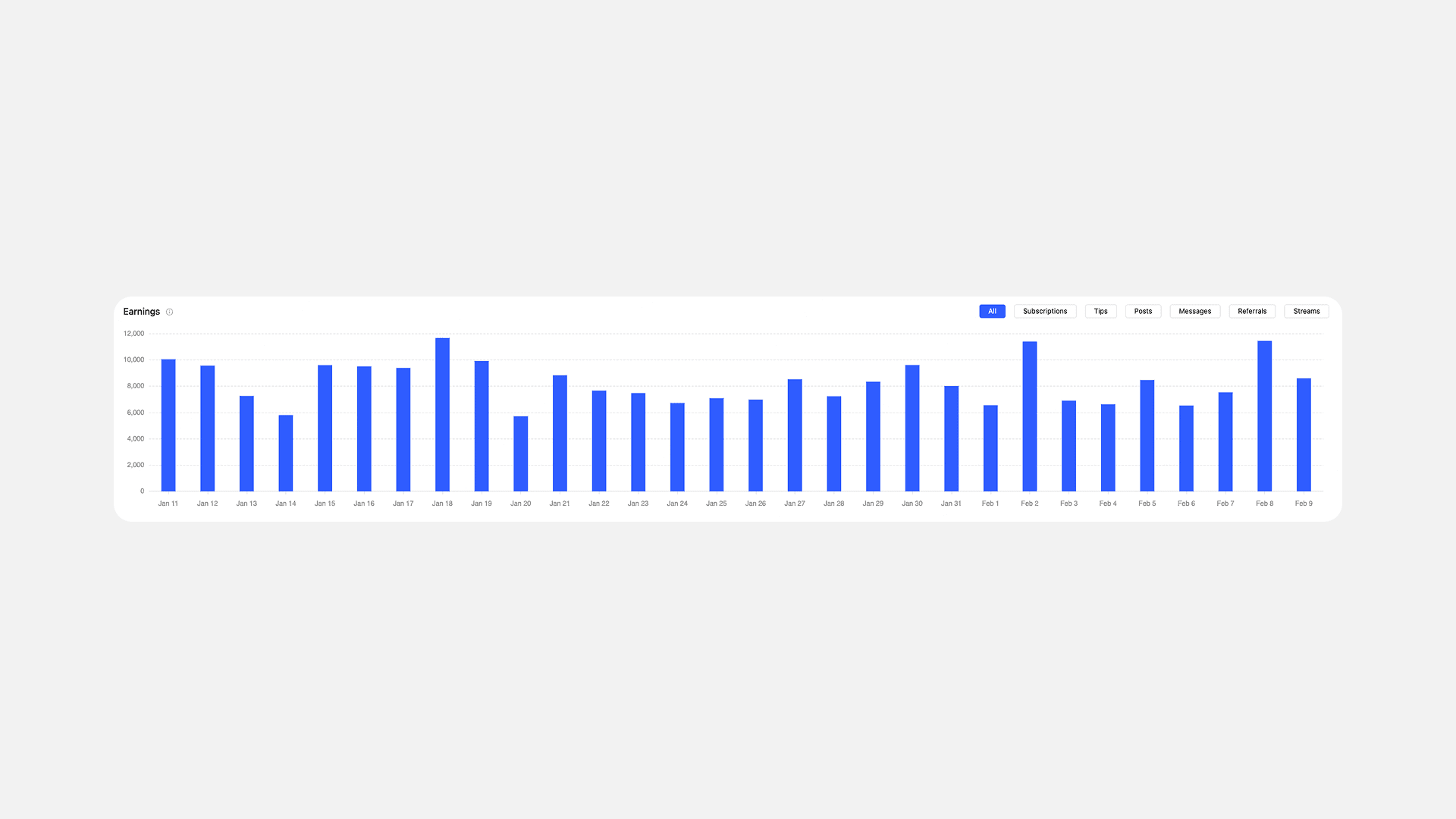
Watch your creator business’s success unfold with detailed growth tracking.
Monitor daily, weekly, and monthly changes in earnings, helping you spot trends and adjust strategies before they impact your bottom line.
5. Fine-tune revenue streams
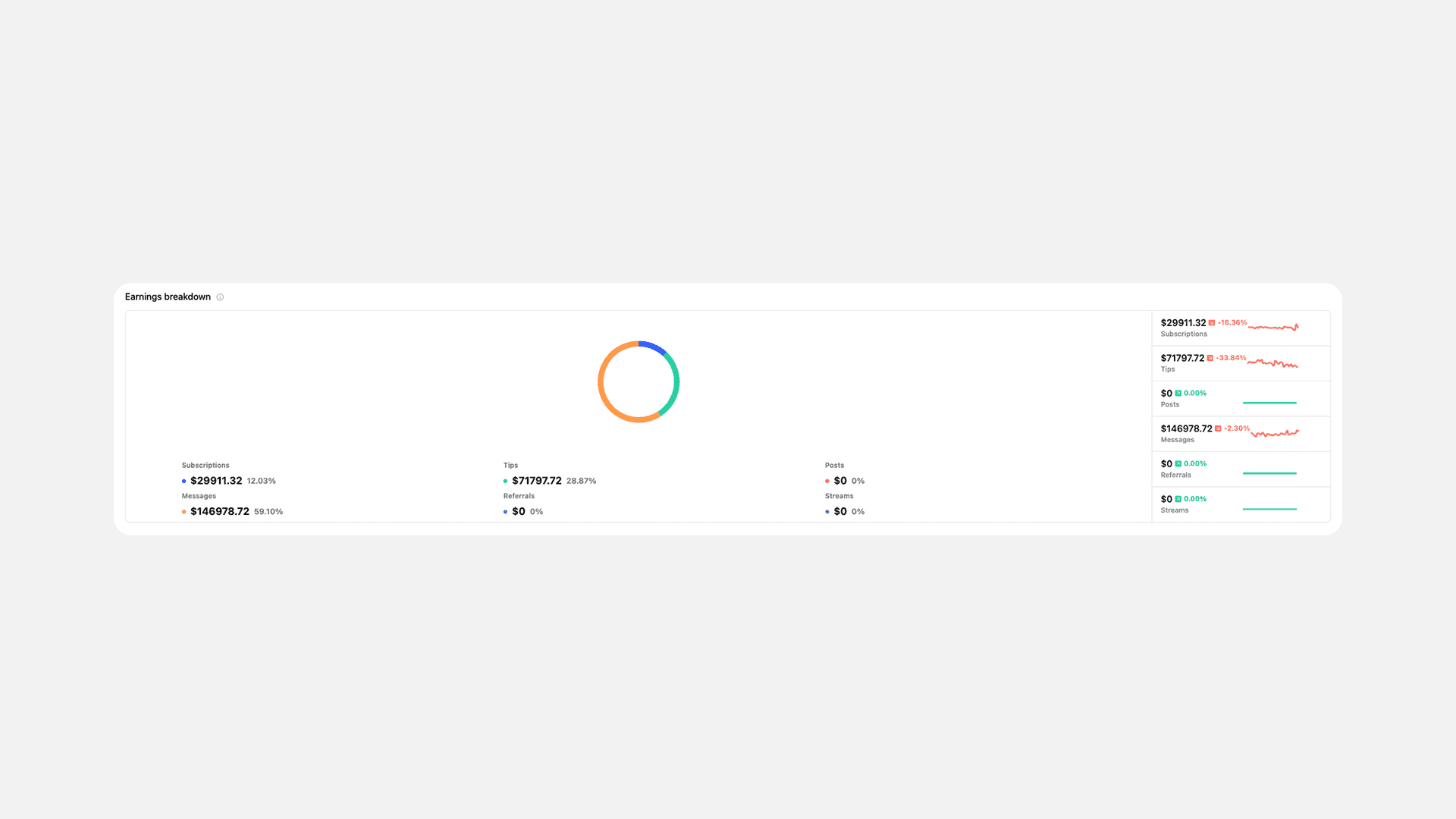
Know where every dollar comes from.
Our earnings breakdown helps you identify which revenue channels—subscriptions, tips, posts, messages, referrals, or streams—are driving growth for each Creator.
Next steps
Ready to upgrade your performance tracking? Here’s how to get started with Infloww’s Creator Reports:
Sign up with Infloww
Connect your accounts
Set up your first performance dashboard
Start making data-driven decisions